
If you’re running Google Ads campaigns for lead generation, you already know the frustration: your cost per lead (CPL) keeps climbing while your marketing budget stays the same. Whether you’re a small business owner, a digital marketer, or a performance marketing agency, learning how to reduce cost per lead Google Ads is one of the most valuable skills you can develop in 2026.
Rising competition, increasing CPCs, and shrinking attention spans have made lead generation harder than ever. But the businesses that consistently win aren’t necessarily spending more — they’re spending smarter. In this in-depth guide, we’ll break down actionable, tested strategies to help you lower your cost per lead, improve campaign efficiency, and generate more qualified leads without increasing your ad spend. Whether you’re new to Google Ads or a seasoned PPC professional, these tips will help you drive more traffic and conversions at a lower cost, while building a sustainable, scalable lead generation engine.
By the end of this article, you’ll understand not just what to do, but why each strategy works — so you can apply these principles to any industry, budget size, or campaign type.
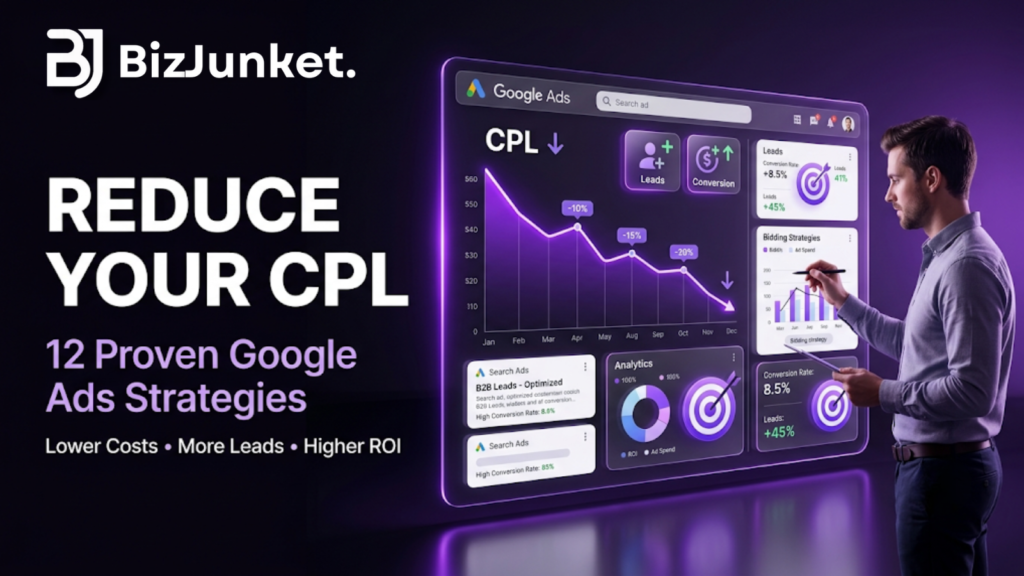
Table of Contents
What Is (CPL) Cost Per Lead Google Ads?
Cost Per Lead Google Ads the amount of money you spend on advertising to acquire a single lead — a potential customer who fills out a form, calls your business, signs up for a newsletter, requests a quote, or takes any other conversion action you’ve defined as valuable.
Formula:
Cost Per Lead = Total Ad Spend ÷ Number of Leads GeneratedFor example, if you spend $1,000 on a campaign and generate 50 leads, your CPL is $20.
A high CPL eats into your marketing budget and profit margins, while a low CPL means you’re generating more leads for less money — directly improving your return on ad spend (ROAS) and giving your sales team more opportunities to close deals.
Why CPL Matters More Than Just Traffic or Clicks
Many advertisers get fixated on vanity metrics like impressions or clicks. But traffic alone doesn’t pay the bills — leads do. A campaign that drives thousands of clicks but few conversions is far less valuable than one that drives fewer, highly targeted clicks that convert into leads. That’s why CPL, not just cost-per-click (CPC), should be the metric you optimize toward.
Why Is Your Cost Per Lead Google ads So High?
Before diving into solutions, it helps to understand common reasons CPL increases:
- Poor keyword targeting or broad match keywords pulling irrelevant traffic
- Low Quality Score due to weak ad relevance or landing page experience
- Generic, non-compelling ad copy that fails to stand out
- Slow-loading or poorly optimized landing pages
- Incorrect bidding strategy for your campaign goals or budget stage
- Targeting too broad an audience or wrong geographic locations
- Lack of negative keywords filtering out irrelevant search traffic
- Ad scheduling that ignores peak conversion hours
- Weak conversion tracking, leading Google’s algorithm to optimize toward the wrong signals
- Ignoring device-level performance differences (mobile vs. desktop)
Understanding which of these issues applies to your account is the first step. A quick audit of your Search Terms Report, Quality Score column, and device/location performance breakdown will usually reveal where your budget is leaking.
READ MORE Google Search vs AI Search: The Future of SEO in 2026
12 Proven Strategies to Reduce Cost Per Lead in Google Ads
1. Improve Your Quality Score
Google’s Quality Score directly impacts your cost per click (CPC) and ad rank. A higher Quality Score means Google rewards you with lower cost per lead Google Ads and better ad placements, since Google prioritizes ads that are relevant and useful to searchers.
How to improve it:
- Increase keyword relevance between your ad copy and landing page
- Improve expected click-through rate (CTR) with compelling headlines
- Optimize landing page experience (speed, mobile-friendliness, relevant content)
- Group keywords into tightly themed ad groups (Single Keyword Ad Groups or tightly clustered themes work well)
Even a one-point increase in Quality Score can noticeably reduce your CPC, which compounds into meaningful CPL savings over time.
2. Use Long-Tail and Intent-Driven Keywords
Instead of targeting broad, expensive keywords, focus on long-tail keywords that reflect high purchase or lead intent. These keywords often have lower competition and lower CPC while attracting more qualified traffic that converts at a higher rate.
Example: Instead of “digital marketing services,” target “affordable digital marketing services for small business” or “digital marketing agency for startups near me.”
Long-tail, high-intent keywords tend to bring in searchers who already know what they want, making them far more likely to convert into leads than someone browsing with a vague, top-of-funnel query.
3. Add Negative Keywords Regularly
Negative keywords prevent your ads from showing up for irrelevant searches, saving your budget for high-intent traffic. Review your Search Terms Report weekly and add irrelevant queries as negative keywords.
Common negative keyword categories to watch for:
- Job-related searches (“careers,” “salary,” “jobs”)
- Free or DIY-related searches (“free,” “how to do it yourself”)
- Competitor brand names (unless intentionally targeting them)
- Informational queries unrelated to your offer
4. Optimize Your Landing Pages for Conversions
Your landing page plays a massive role in your CPL. A slow, cluttered, or irrelevant landing page kills conversions even with great traffic, wasting the budget you spent getting the click.
Landing page optimization checklist:
- Fast loading speed (under 3 seconds)
- Clear, single call-to-action (CTA)
- Mobile-responsive design
- Trust signals (testimonials, reviews, certifications, client logos)
- Minimal form fields to reduce friction
- Message match between the ad copy and landing page headline
- Clear, benefit-driven headline above the fold
A landing page built specifically for a campaign — rather than a generic homepage — almost always converts better and lowers CPL significantly.
5. Write High-Converting Ad Copy
Compelling ad copy increases CTR and Quality Score, which lowers your CPC and, in turn, your CPL. Focus on:
- A clear value proposition
- Numbers, discounts, or urgency
- A strong, action-driven CTA
- Ad extensions (sitelinks, callouts, structured snippets) to boost visibility
- Addressing a specific pain point your audience is searching to solve
Test multiple ad variations within each ad group and let performance data guide which messaging resonates most with your audience.
6. Choose the Right Bidding Strategy
Cost per lead Google Ads offers several automated bidding strategies designed specifically for lead generation:
- Target CPA (Cost Per Acquisition) — ideal once you have enough conversion data
- Maximize Conversions — good for driving volume, especially for newer campaigns
- Target ROAS — useful if leads have varying value
- Manual CPC with enhanced bidding — useful for tighter control in the early stages
Test different strategies and let Google’s machine learning optimize delivery once sufficient conversion data is collected (Google recommends at least 30 conversions in the last 30 days for automated strategies to work effectively).
7. Leverage Audience Targeting and Remarketing
Use in-market audiences, custom intent audiences, and remarketing lists to target users who are more likely to convert. Remarketing to website visitors who didn’t convert the first time is often significantly cheaper than acquiring cold traffic, since these users are already familiar with your brand.
Layer audience signals onto your Search campaigns using “Observation” mode to gain insights without restricting reach, then shift to “Targeting” mode once you identify high-performing segments.
8. Optimize Ad Scheduling (Dayparting)
Analyze when your cost per lead Google Ads convert the most and adjust your ad schedule accordingly. Pausing or reducing bids during low-converting hours can significantly cut wasted spend. Many B2B businesses, for example, see far higher conversion rates during business hours on weekdays compared to late nights or weekends.
9. Focus on Location Targeting
If you’re a local business, narrow your targeting to specific cities, regions, or a radius around your business location. This reduces wasted spend on irrelevant geographic traffic and improves lead quality. Regularly review the Locations report to identify high-cost, low-converting areas and exclude them.
10. Use Ad Extensions to Improve CTR
Ad extensions like call extensions, lead form extensions, sitelinks, and structured snippets increase your ad’s visibility and CTR without additional cost, improving Quality Score and lowering CPC. Lead form extensions, in particular, can dramatically reduce CPL by letting users submit their information directly within the ad, without even visiting a landing page.
11. A/B Test Everything
Continuously test:
- Ad headlines and descriptions
- Landing page variations
- CTAs and form lengths
- Bidding strategies
- Audience segments
Data-driven testing helps you identify what actually reduces CPL for your specific audience, rather than relying on generic best practices alone. Run tests long enough to reach statistical significance before drawing conclusions.
12. Monitor and Refine Regularly
Google Ads optimization isn’t a one-time task. Review performance weekly, pause underperforming keywords and ads, and reallocate budget toward top-performing campaigns to keep driving traffic efficiently while lowering costs. Set up automated rules and alerts to flag sudden CPL spikes so you can react quickly.
Bonus Tips to Further Lower Cost Per Lead
Beyond the core 12 strategies, a few additional tactics can help squeeze even more efficiency out of your campaigns:
- Improve your conversion tracking accuracy. If Google’s algorithm is optimizing toward inaccurate or duplicate conversion data, it will waste spend on the wrong signals. Audit your tracking setup regularly.
- Use call tracking software to capture phone leads that might otherwise go unrecorded, giving Google’s bidding algorithm a fuller picture of what’s actually driving results.
- Segment campaigns by device. Mobile and desktop users often behave very differently; separate campaigns or bid adjustments can prevent one device type from draining budget with poor conversion rates.
- Leverage seasonal trends. Adjust budgets and bids around seasonal demand spikes relevant to your industry to capture cheaper, higher-volume leads when competition is more favorable.
- Test Performance Max campaigns alongside Search campaigns to tap into additional inventory across Google’s network, which can sometimes lower blended CPL.
How Reducing CPL Increases Traffic and ROI
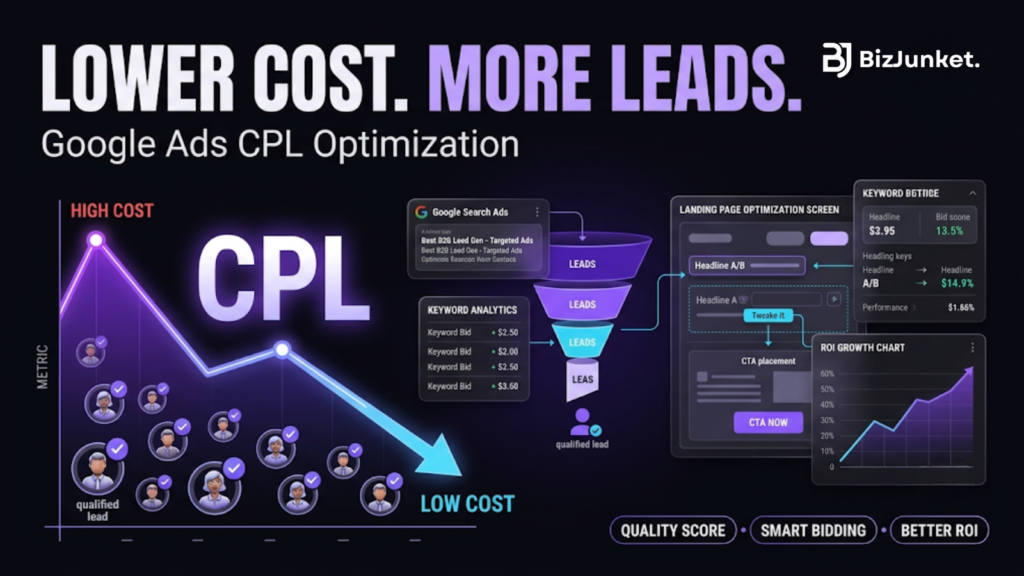
When you optimize for a lower cost per lead, you’re not just saving money — you’re also improving overall campaign efficiency. A lower CPL means:
- More leads within the same budget, increasing overall traffic and conversions
- Higher Quality Score, which improves ad rank and visibility for relevant keywords
- Better ROI, since you can scale campaigns profitably
- More consistent lead flow, helping sales teams plan and forecast better
- Greater budget flexibility, allowing you to reinvest savings into scaling winning campaigns or testing new keyword opportunities
This is why cost per lead optimization should be a core part of your ongoing Google Ads SEO and PPC strategy — the two work together to bring qualified, high-intent traffic to your website and convert more of that traffic into paying customers.
Common Mistakes That Keep CPL High
Even experienced advertisers fall into these traps:
- Making too many changes at once, making it impossible to know which change impacted performance.
- Ignoring the Search Terms Report, allowing irrelevant traffic to keep draining budget.
- Setting unrealistic Target CPA goals too early, before the algorithm has enough data to optimize effectively.
- Sending all traffic to a generic homepage instead of a dedicated, conversion-optimized landing page.
- Failing to align sales and marketing on what actually counts as a “qualified lead,” leading to wasted spend on low-quality conversions.
Avoiding these mistakes is often just as impactful as implementing new optimization tactics.
Conclusion
Reducing cost per lead Google Ads isn’t about a single quick fix — it’s about continuously refining your keywords, ad copy, landing pages, bidding strategy, and audience targeting, while avoiding common mistakes that quietly drain your budget. The strategies covered in this guide — from improving Quality Score and using long-tail keywords to optimizing landing pages and leveraging remarketing — all work together as part of a holistic approach to campaign efficiency.
The businesses that succeed at lowering CPL are the ones that treat optimization as an ongoing process, not a one-time project. Start by auditing your current campaigns, identifying weak points using the checklist and common mistakes outlined above, and applying these optimization techniques one step at a time. Track your results closely, double down on what works, and cut what doesn’t.
Over time, small, consistent improvements compound into significant CPL reduction, more efficient traffic, higher lead volume, and stronger campaign ROI — turning your Google Ads account into a genuinely profitable, scalable lead generation channel rather than just an expense line on your marketing budget.
READ MORE Google Ads Cost in India (2026 Complete Pricing Guide)